Setup
TLDR; The Endpoints
While we provide instructions below for several tools (npm, uv, opencode etc.). If you are in a hurry, here are the information about the inference and MCP endpoints
for your reference.
Endpoint for the model: http://mimer-aif-hackathon.icedc.se/v1
Endpoint for Riksbanken MCP: http://mimer-aif-hackathon.icedc.se/swemo/sse
Endpoint for SCB/Statistics Sweden MCP: http://mimer-aif-hackathon.icedc.se/scb/mcp
We have also added a skills repo for the SCB MCP available here: https://github.com/ashwinvis/scb-opendata-skills
In this hackathon, we execute MistralAI’s Devstral 2 Small (256K, 24B) in H100 GPUs, served through multiple instances of vLLM. The model was chosen as it fits consumer hardware and therefore can simulating a home development for those who never did it.
Recommended Tools
The following tools are often useful for either installing MCP servers or building the final application for your hackathon.
Node.js via
npmandnpxcommands: Follow instructions at https://nodejs.org/en/downloadPython via
uvanduvxcommands: Follow instructions at https://docs.astral.sh/uv/getting-started/installation/(Optional, but convenient to have) Git for cloning skill repositories instead of downloading. We use
git clonecommand in instructions below. Follow instructions at https://git-scm.com/ to getgit.
Note on virtual environments
We have prepared a guide on Python and use of virtual environments if you are unfamiliar with it.
Standard installation with open-weights LLM from Mimer
For this Hackathon, we support the usage of OpenCode as it is a free and opensource tool that do not require any third-party account. If you want to use other tools (Claude Code, Mistral Vibe, etc), you can directly refer to their documentation and configuration of custom endpoints.
Important
Please notice that while there are instructions for Windows, we strongly support using Windows Subsystem for Linux (see WSL in the next tab) as the development environment is more robust and secure (i.e., it is easier to administrate Python environments).
Download the OpenCode at its official download webpage.
Open OpenCode once, and close it.
On Windows Explorer, open
%USERPROFILE%\.config\opencodeCreate a file named
opencode.jsonc, and insert the JSON configuration given below, replacing the entire content, if the file was not empty:Now reopen OpenCode.
In your terminal, download OpenCode by running[1]
curl -fsSL https://opencode.ai/install | bash
Run
opencode, and then typeexitand hit Enter.Execute the following to prepare the configuration file
mkdir -p ~/.config/opencode/
cd ~/.config/opencode/
touch opencode.jsonc
Then use your favourite text editor to replace the contents of
opencode.jsonc, with the JSON configuration given below.Run
opencodeand start using it!
(Optional): you can also run opencode web --port 4096 --hostname 0.0.0.0 and start a web instance of it in your browser,
which will then be available on http://localhost:4096.
OpenCode JSON configuration
{
  "$schema": "https://opencode.ai/config.json",
  "provider": {
    "mimer": {
      "npm": "@ai-sdk/openai-compatible",
      "name": "Mimer AI",
      "options": {
        "baseURL": "http://mimer-aif-hackathon.icedc.se/v1"
      },
      "models": {
        "mistralai/Devstral-Small-2-24B-Instruct-2512": {
          "name": "Devstral 2 Small (256k)",
          "limit": {
            "context": 262144,
            "output": 262144
          }
        },
      }
    }
  },
  "model": "mistralai/Devstral-Small-2-24B-Instruct-2512",
  "mcp": {
    "scb_opendata_mcp": {
      "type": "remote",
      "url": "http://mimer-aif-hackathon.icedc.se/scb/mcp",
      "enabled": true
    },
    "swemo-mcp": {
      "type": "remote",
      "url": "http://mimer-aif-hackathon.icedc.se/swemo/sse",
      "enabled": true
    }
  }
}
Use Ctrl+P to access menus and switch the models and/or the MCPs. You can also use slash commands like /models and /mcps. You should now be able to select the model (Devstral 2 Small (256k)).
Skills
Agent skills can be added by running the commands:
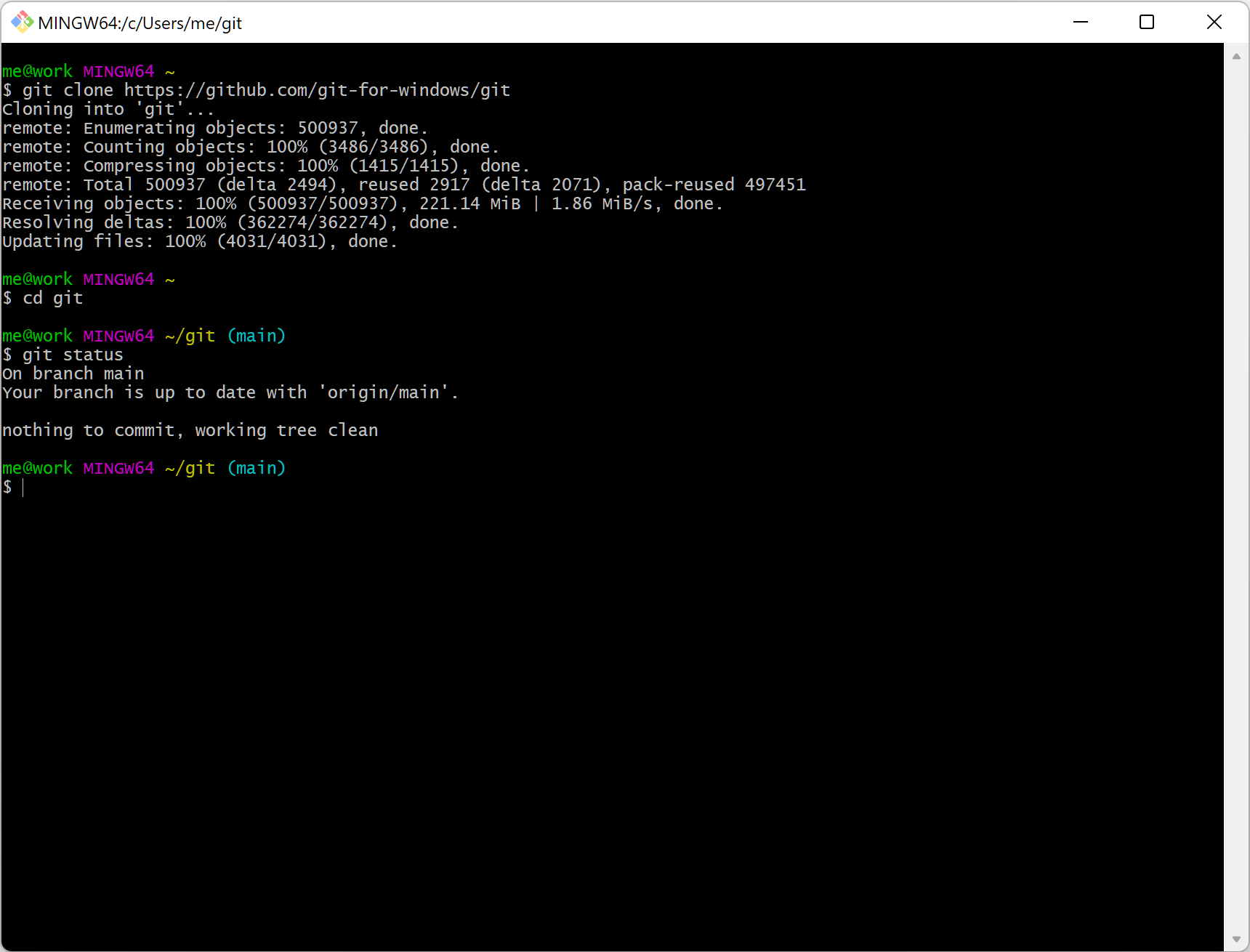
Launch Git bash from the start menu. It should look like this. Then run the following commands.
$ mkdir -p $USERPROFILE/.config/opencode/skills

$ git clone https://github.com/ashwinvis/scb-opendata-skills
$ cp -r scb-opendata-skills/skills/*  $USERPROFILE/.config/opencode/skills/
$ mkdir -p ~/.config/opencode/skills

$ git clone https://github.com/ashwinvis/scb-opendata-skills
$ cp -r scb-opendata-skills/skills/*  ~/.config/opencode/skills/
Happy coding 🥳!